After installing KDE Plasma desktop in Ubuntu, it automatically takes over your default Ubuntu LigntDM login screen and displays KDM instead. You can easily switch back to LightDM by running a simple command in terminal.
Follow the given steps:
Step-1 So first thing you need to do is click Dash Home icon present on the top of Ubuntu Unity Launcher, type terminal in search box and open it.
Step-2 Second step is to type or copy-paste the following command in the terminal and hit ENTER
sudo dpkg-reconfigure kdm
Step-3 Now there should popping menu on your screen asking you to select default display manager. Use your arrow keys and select LightDM instead or KDM.That’s all with the settings.
Yes now you can easily convert your Google Chrome home (i.e. new/empty) into an iOS 7 home by following few simple steps given here:
Step- 1 First of all open your Google Chrome browser, click wrench (customzie & control) menu present on the top right corner of Chrome, now click ‘Settings’
Step-2 On settings page scroll to ‘On Start Up’ sub-section and select radio button: Open a specific page or set of pages.
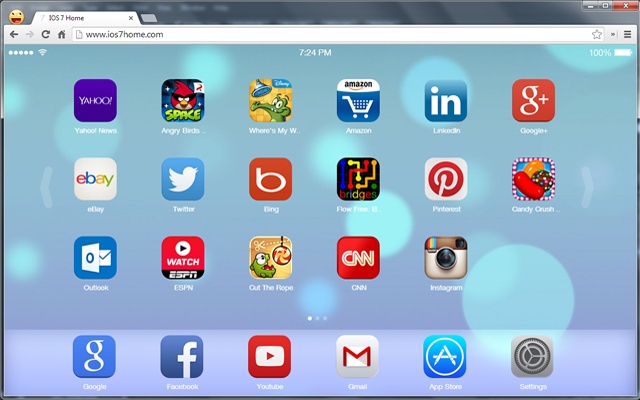
This is an awesome fun website that brings IOS 7 to your chrome, a customizable website with IOS 7 having style, App Store, Games, and a lot more. It gives you a feeling like you are using one of Apple devices not just a Chrome browser or Chromebook.
Looks even more nice when your Chrome is on fullscreen mode, Press F11 for fullscreen and enjoy working new Apple environ. As a starter, simply click and hold on a second on any app icon then let the fun begin.
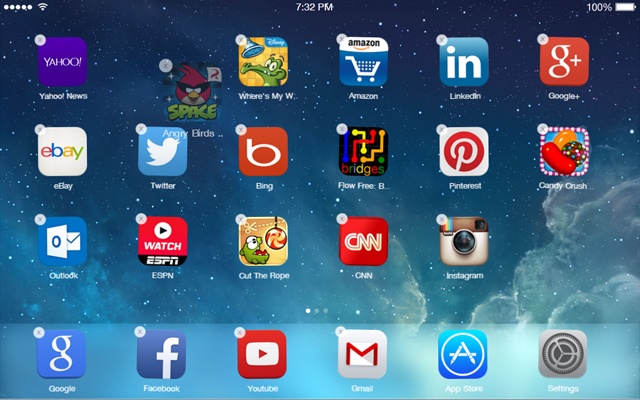
It lets you enjoy all what you used to do on IOS 7 devices. Like you get multiple screens and you can navigate through them using keypad or mouse, you can enter app edit mode, you can activate apps by clicking, hold on and move apps between screen pages, reorganize or delete any app then double click or ESC and deactivate edit mode.
Customization options and settings:
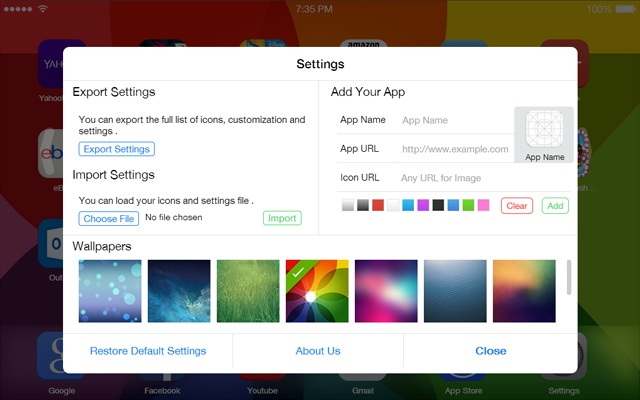
It also offers you customization options and settings, click the settings icon and explore IOS 7 home settings, change wallpaper, export and import settings and also you can add any website you want to your iOS7 Home.
Also offers an App Store:
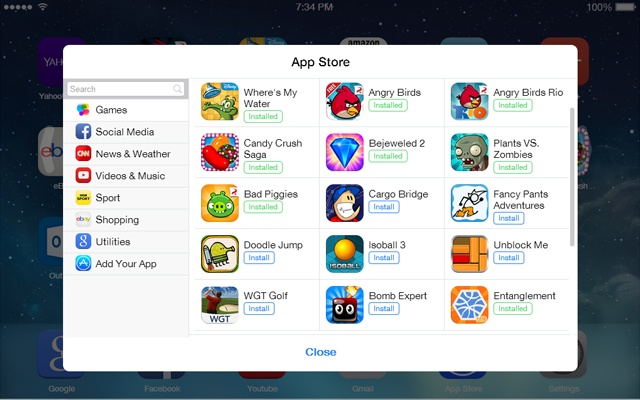
IOS 7 Home also offers you an App Store where you can find all popular sites from all categories like games, social, news and others.
Using the app store you can install whatever apps you like adding to your iOS Home.
Snippez is a website snippet collector that a lets you save website snippets and organize them. You can use the service by logging in with your Google account (no seperate Registration). The website will ask you to login with your Google Account. Click the button ‘Login with Google’ allow permissions. This will login you to Snippez dashboard where you can add, edit & organize your collections.
You can display any feed content as your own post content in your WordPress site. Virtual Posts is the new plugin that can publish virtual posts from any feed and instead of creating post copies it creates it’s own “virtual” posts and shows the feed content as a post.
First install and activate Virtual Posts plugin. Upon activation visit your admin area Dashboard -> Settings->Virtual Posts and add your feeds. You can set maximum number of items to show for each feed.
From the ‘General’ tab you can set minutes between cron jobs to fetch feeds. Default fetch interval time is 20 minutes.The plugin also provides you a widget for displaying virtual posts in your sidebar.
MFS Campaigns is the powerful, easy and till now best WordPress plugin for randomly displaying campaigns with custom links on the top of your WordPress site. It provides you the best way of creating multiple campaigns from admin area dashboard and that’s all. Rest is done buy the plugin itself. It will be displaying campaigns randomly on your website. It gives a neat display and is not at all disturbing, your visitors may hide the campaign box by clicking small x button. Just like old Wikipedia’s begging messages.
Easy Media Download provides you the easiest way to add downloadable media file buttons. This is the new WordPress plugin that activates an easy shortcode button that offers file download to your readers, your readers can download digital media files from your website. It instantly starts the download once the button is clicked.
You can select default link for images while uploading or inserting them inside your WordPress site, in posts or pages. You can select default link to None, Attachment Page, Media File or Custom URL. Default Image Link is the new WordPress plugin that allows you to do so.
Generally when you insert a image in any of your post or page by default,it always appear to be self-linked i.e. liked with its self file. But now by using Default Image Link plugin you can establish the link type by default for images without having to worry about selecting a different option on each occasion.
As said by the developers, For SEO & other reasons most website owners prefer images to have ‘none’ link. And there are many other who prefer images to be liked to their Attachment page or self file (.jpg, .png, .gif, etc.)
Now if you use this new plugin then you can define link type for each image and then there will be no need of modifying image at the time you are using those images. Previously inserted image links are not modified.
Installation & Usage:
Instal and activate the plugin. After activation visit your admin area Dashboard -> Settings -> Default Image Link page and there you can select default image link option from:
None
Media File
Attachment Page
Custom URL (You must write custom URL for each image)
Great for multi-author WordPress sites where sometimes authors forget about selecting correct link for each image used in their post etc. Another good thing about thus plugin is that you can disable it after defining default image link and re-enable it for changing default image link again.
Android Terminal Emulator is an open source project. You can download Android Terminal Emulator tool from Google Play Store. With this app you can access your Android’s built-in Linux command line shell and unleash your inner geek. This app is not a game emulator. It won’t help you to root your phone or change your phone’s IMIE. To use this app you will be needing to know Linux command line. It is useful for accessing the Linux command line shell that is built into every Android system. It lets you run various Linux command line utilities.
Other than this Android Terminal Emulator is useful for any ordinary phone, that hasn’t been rooted. You can access the entire /sdcard file system, install and run Linux command-line applications in the parts of the /data file system that are accessible to the Android Terminal Emulator process. Also you can run command-line programs that access the Internet.
Secure Shell (SSH) is a cryptographic network protocol for secure data communication, remote command-line login, remote command execution, and other secure network services between two networked computers that connects, via a secure channel over an insecure network, a server and a client (running SSH server and SSH client programs, respectively).The protocol specification distinguishes between two major versions that are referred to as SSH-1 and SSH-2.
Earlier we discussed how you can disable website field in WordPress comment form. Now this tutorial explains you how you can easily dis-allow your website commenter from including links in their main comment’s body.Automatic Comment SPAM Disable is the new WordPress plugin is the new WordPress plugin created for automatic deletion of comment spams and then delete them.
WordPress plugin repo. has new handy plugin for the bloggers and webmasters who need managing a lot of media files. With this new plugin you can create unlimited amount of media taxonomies (just like categories and tags), manage your custom media taxonomies in a better way, easily filter media files in Media Library by your custom taxonomies, create new media file types (MIME types) and more.
This is official Chrome app by Google itself. Lets you to share right things with the right people:
Circles: Sharing right things with the right people like you can put your friends in one circle, your parents in another, and your teacher in a circle by himself just like your real life.
Hangouts: Chat face-to-face with nine friends at once from your phone or your computer.
Games: Play Google+ games by yourself or against your friends. Let everyone know when you’re winning.
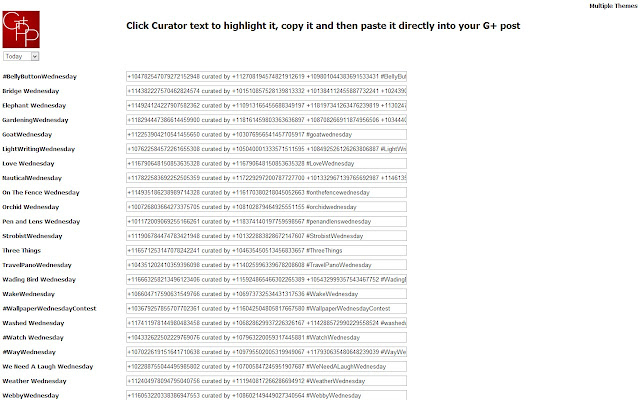
Todays theme curator text from GplusPhotoPages. The application provides you a simple list of Today’s Photo Themes on Google+ with Curators Text for copying directly into your Google+ post.
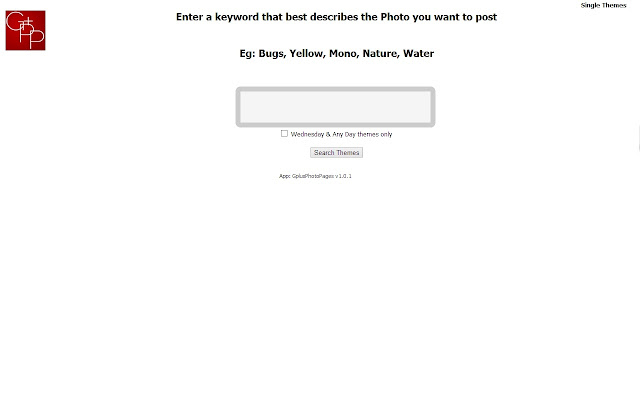
Also provides you with option of searching for multiple themes with a keyword search. Enter a word that best describes your photo and it outputs curators text for all themes tagged with your keyword. Now just copy and paste it directly into your Google+ post and that’s all.
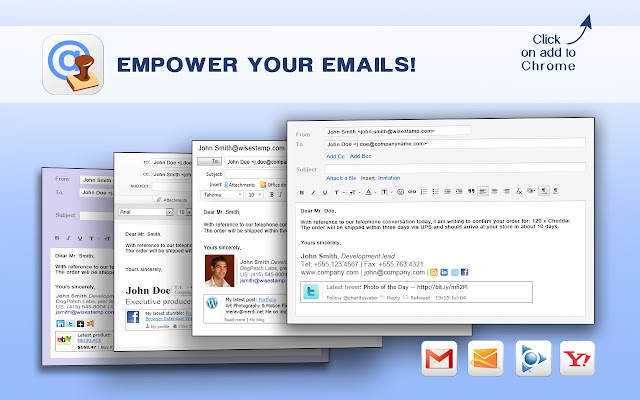
Google Plus Email Signatures will allow you to promote your latest Google Plus status to your email signature. Automatically share your latest Google Plus updates and gain more G+ followers. Link to your Profile and enable users to +1 your latest update with the Google Plus badge email widget . This add-on works with your Google Plus account – type in your Google Plus username and you are good to go.
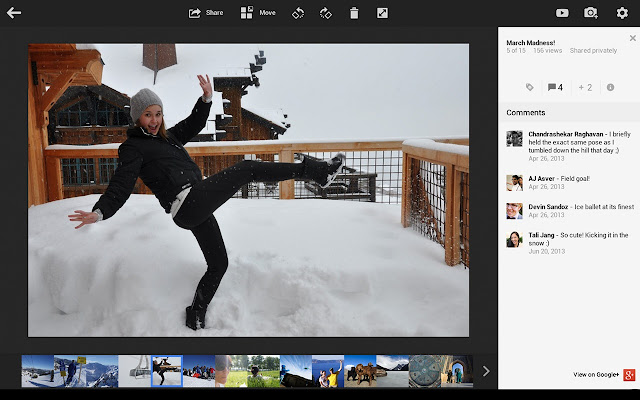
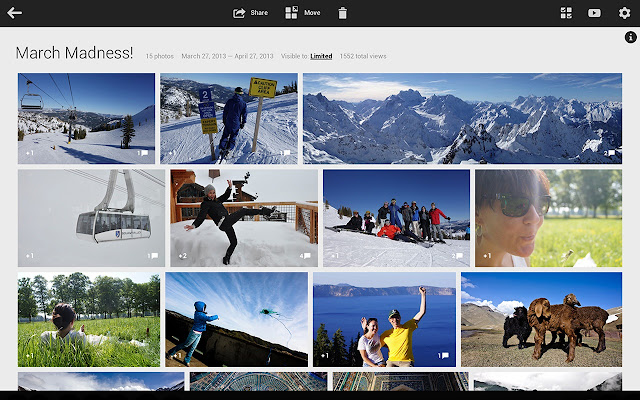
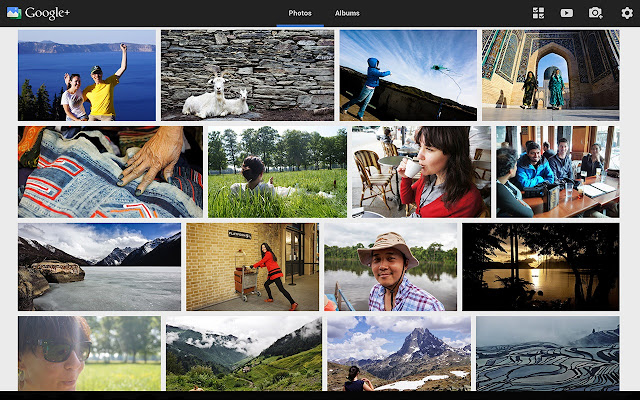
Using Google + Photos app you can upload and share photos from Chrome to Google+ and keep all your photos backed up, automatically organized and ready to share.
Removing all useless things and saving server space is very very important, it makes your website run fast, keeps your database light and quick and also your backups becomes light weight. After you upload any big image in your WordPress media library for using it inside your post content etc, BY DEFAULT WordPress doesn’t removes the unused original size image, thus every time increases some size of your site’s upload directory.
In-case if you don’t know about Shortcodes Ultimate plugin, Shortcodes Ultimate is a powerful and very useful plugin that enables cool shortcodes in your WordPress installation. Using this plugin you can quickly create buttons, boxes, different sliders, quotes and more. It retrieves many premium themes features and allows you to present content in a more beautiful way. Also it includes a visual shortcode generator that use can use right from your post editor. We have already discussed about the plugin a few months back, now it is loaded with more cool features and is more easy to use.
Now lets come to new Twitter’s Bootstrap Shortcodes Ultimate Add-on, this plugin. Likewise we all know Bootstrap is a sleek, intuitive, and powerful mobile first front-end framework for faster and easier web development. This new Shortcode Ultimate add-on plugin gives you full power of Bootstrap by enabling shortcodes for Twitter’s Bootstrap 3 CSS and components.
Cream6 is the new user-friendly WordPress admin area theme with responsive layout. It is available for download as a plugin at WordPress Plugin Repository.There are Screeno configuration options to set. Simply install and activate it and that’s all, your new admin section is ready to use.
Given screenshot shows its truly responsive layout in different widgets. It works much better than other admin themes and provides better display in different screen sizes.
Chrome OS doesn’t allows you to run any Linux, Windows & MAC programs on your Chromebook machine provides you the power to access your Linux, Windows or Mac desktops remotely. Google Chrome Web Store offers VNC clients the connection to traditional VNC servers. Now Google Chrome has remote desktop features which you may use for accessing your desktop PC right from your Chromebook or to remotely run that rare Windows. application.
Formilla.com provides you a free live chat widget plugin called Formilla Live Chat, it allows you to chat with your website visitors, your visitors can ask any questions if they have or when they need any support. It provides you a new clean and user-friendly interface. Core plugin features of the plugin allows you to:
Begin live chat immediately. Live chat button appears on your WordPress site upon installation/activation of this plugin.
You can use your favorite live chat client as long as it works with Google Talk (e.g. Pidgin, Trillian, IMO, etc.) or Skype
You can respond to chats on the go using your iPhone, Android, or any smart phone live chat client supporting Google Talk or Skype.
Enable proactive chat, provides you multiple customizations, ability to setup your hours of operation, appear available or unavailable.
You can add multiple users and support incoming live chats from your customers, displays an ‘Email us’ button on your site when you’re offline. And you can manage offline messages through customer inbox.
Keep chat history and offline emails, search from your live chat history or offline emails by customer email address, priority, status (new, read, pending, complete), flagged vs. unflagged, and also assign an item to another user of your Formilla.com Live Chat account.
Export your customers’ live chat email addresses to construct email marketing campaigns via your preferred tool.
Respond to offline email submissions directly from the Formilla.com Live Chat customer inbox.
Forward offline email submissions from your customers to other departments or staff directly from the Formilla.com Live Chat customer inbox.
Add private comments to any live chat historical record in your Formilla.com Live Chat customer inbox
Inbox includes the customer’s technical details such as operating system, browser, screen resolution, custom variables, etc.
How To SetUp Formilla Live Chat Plugin In WordPress?
Start by installing and activating Formilla Live Chat plugin. Upon activation visit your admin area Dashboard -> Formilla Chat and SignUp using the form given there. It just takes some minutes to setup your first live chat widget and get it on and running. After you finish registration process, your live chat widget is instantly generated and becomes available on your website for your customers to chat with you.
Formilla Live Chat page integrated within wordpress where you’ll receive and respond to chats.
Chat widget installed on your wordpress site upon activation of Formilla.com Live Chat plugin.
Chat Customer Inbox. View chat history, search and respond to offline email submissions, etc.
Configure options for your chat widget such as proactive chat, hours of operation, and email notifications.
Chromebook is the first fully cloud-based notebook running only Google Chrome and can be used only if you are connected to Internet. This post is about the things you will not find on Chromebook.
Now you can very quickly and easily select then download your Instagram photos in a few simple steps. This way you can organize and archive your photos on your local machine like laptop, tablet and secure your backup.
If you don’t know: Instagram is popular web photo-sharing, video-sharing and social networking service that allows its users to take pictures & videos, they can apply digital filters on them and share them on a variety of social media and networking services. Now this tutorial is on a free webservice known as Downgram.com. The website provides you a very small, quick but very useful feature that enables you to select and download your Instagram images.
Another good thing about Downgram is, while gathering all the information, it also embeds copyright information such into the IPTC meta data field with your name.
How to use Downgram for downloading Instagram images?
Its very easy. All you need to do is visit Downgram.com then login using your Instagram account credentials and then you can select which images you want to download.
AutoCAD 360 is a powerful Google Chrome app you may use for viewing, editing and sharing DWG drawings directly from your web browser via AutoCAD WS web and mobile application. The application is a free software, userfriendly and lets you easily sketch and draft. Also enables you to quickly create, view, edit and share drawings without any advanced CAD expertise.
Adblock Plus allows you to remove all Facebook ads, annoyances etc for enhancing your experience and making web browsing fast. Facebook Customizer, a Google Chrome app offering Adblock Plus allows you customize your Facebook experience by stripping down all unwanted and disturbing ads and other annoyances. Using this app, within just two clicks you can hide all 21 unwanted elements from Facebook sidebar and also from your newsfeed section. It takes you back to the old Facebook you once loved, showing you only status and other updates, shares from your friends.